Building A Home Lab: My Experience
In the summer of 2025, I bought a new laptop and decided to explore a new hobby: self-hosting. It was something I wanted to dabble in for a long time, and I finally had the motivation and a necessary computer: an old laptop. In this blogpost, I want to share my setup, experiences and future plans.
The Choice Of The Operating System
As you may know, a server is just another computer, and a computer needs an operating system to function. For reasons I’ll explain below, I had three major candidates for my server:
- Arch Linux
- Fedora
- NixOS
Arch Linux is what I daily-drove for three years at the time. I am very familiar with it, I know how to solve most of the things myself, it has a wonderful wiki. However, since I was familiar with it too much, it was also the boring option. Plus, I don’t really think Arch would make a good server operating system.
I had never used Fedora before. If I chose this, it would be a good introduction to the dnf package manager and the Fedore ecosystem. However I did not see a benefit of choosing Fedora. I viewed it as just any other OS.
Then there was NixOS. It fundamentally differs from any other Linux distribution. Instead of manually editing configuration files, NixOS offers a central configuration file which uses its own declarative functional programming language, Nix. It’s built around being reproducable, meaning two machines built using the same Nix configuration should be equivalent to each other. The package manager, which is also called Nix, offers many beneficiary features for servers. It solves dependency hell by hashing a package’s dependency graph. It also lets you boot into an older build if something goes wrong. If you wish to learn more about Nix, you can view this page.
By the length of the last paragraph you may guess which option I went with. Yep, I chose NixOS.
Learning Docker & Docker Compose
After learning Nix’s syntax and creating my own Nix configuration, it was time for me to host some applications. I knew that Docker is the thing everyone uses for hosting applications, I had even used it on few minor occasions. For those that don’t know, Docker allows you to create and manage “containers”, which can be thought of as isolated environments with their own isolated filesystem, process tree, networking etc.
However, I’ve never heard of Docker Compose before. Sometimes an application might need multiple containers to function. For example the database and the web server may live in their own
separate containers. This makes things distributed and easier to audit. In such cases, the management of those containers quicky becomes a pain. Questions such as “Which container is going to be updated?”,
“How to tell if a container is healthy?”, “Which container should start first?” and many more starts to arise. While thinking about these, you decide to check the time and you see you have spent hours without any
meaningful progress. Docker Compose comes as a lifesaver here. It allows you to manage multi-container applications with a simple YAML configuration file. Then the rest is as easy as running docker compose up -d.
My Own Architecture
If you have a single IP address and a single port number for an HTTP connection, how would you distinguish which application a user wants to reach? The answer is, of course, to inspect the HTTP request and forward the packet to the desired application. This is essentially what a reverse proxy does. Instead of serving applications directly, we put them behind a reverse-proxy that acts as a broker. I decided to use Caddy as my reverse proxy. Caddy is by no means just a reverse proxy and supports a TON of features, but this is just how I choose use it. One of the core features that made me fall in love with it is that it automatically obtains HTTPS certficiates for your domains. It is also pronounced similar to “kedi” in Turkish, the word for cat.
After getting past the Caddy web server, any incoming request goes to its dedicated application running inside a Docker container. For added security, with the use of Docker networks, I made sure that any container running on my server can only see the containers that it must see to function. For example overleaf’s webserver can only see its redis and mongo containers along with caddy’s container, caddy only sees containers that it needs to route traffic to etc.
On it, I host
- A couple of discord bots
- Caddy, my reverse proxy
- Copyparty, for file storage
- Dashdot, for monitoring system resources
- Drawio, for drawing diagrams
- Electra Web, a playground for my own esoteric programming language Electra
- Immich, as an alternative for Google Photos
- Linkstack, as an alternative to linktree
- Linkwarden, for bookmark management
- MLFlow, for monitoring ML models
- MMDL, as my calendar app
- Overleaf, for academic writing
- Pastefy, as an alternative to pastebin
- Planka, as an alternative to trello
- Radicale, as my CALDAV server
- StirlingPDF v1.6.0, as an alternative to ILovePDF
- VaultWarden, as my own password manager
I used to host
- n8n: I hosted it to check what it was, found no use for me
- NextCloud: I tried to use it as an alternative to Google Drive but it kept erroring on uploads and also it was an overkill for me
- A Minecraft server: People stopped playing on it
Backups
From the get go, I was aware how important backups were, but due to my laziness I procrastinated setting up a proper backup system. However I eventually did set up one. I chose restic because it was exactly what I wanted: easy and secure backup solution that supports multiple different storage types. I set it up to trigger every week. Thanks to NixOS, the process of setting up restic was incredibly easy. At first, I only set it up to store backups locally. I was aware how important cloud backups were, I was just being lazy.
16 December Incident
Since the server was being hosted on my old laptop, it meant any inconvenience such as power cutoffs can easily draw it unavailable. That is exactly what happened in last december, and worst, I was not staying at my family’s house because of school. So the server stood dead for a week straight. Once I finally had time to turn it back on, I got stopped at the disk encryption password screen. I tried a lot of different combinations of the encryption password, none worked. I was kind of panicking, because I did not set up cloud backups yet, If I only I had them set up…
I gave up manually trying and decided to script it with python. I got a USB drive with NixOS, booted inside, opened a terminal, tried to type “python” and went “Oh, the P key is not working”. I tested almost all of the keys and realized that the right side of the keyboard was dead. It was a huge relief for me, because when I plugged another keyboard, I was able to log in easily.
It definitely was an experience, a stressfull one and one I wish to never have again. But it also reminded me of the importance of cloud backups, which I set up in the following days. Since restic had rclone support, it was almost painless, except for the time I had to deal with Google’s stupid API interface and, after it was set up, learn Google changed things so API was not the way to go. Anyway, connecting my account was easier at least.
SSH Honeypot And My First Ever Cyberattack Experience
Some time later, I wanted to set up an SSH honeypot, mainly because I find the idea cool but also I want to see and understand what attackers do, what are the frequencies of attacks etc. For this, I chose a really simple ssh honeypot, sshesame, that lets anyone in and logs their activity. To my surprise, the attacks were happening much more frequently than I was expecting, around every 15 minutes. However, I quickly realized most of them were bots, programmed to scan IPv4 addresses, run some simple commands on a successful login to collect information and end the connection.
sshesame has a feature in the source code that lets you, in theory, implement custom commands. By default it implements sh, true, false, echo, cat, su. Well, “implements” is not really accurate here, since they are
toy implementations that wouldn’t fool anyone, rather than focusing on implementing parts people commonly use. If I find the time and energy for it, with the help of syntax
Go package I plan to implement a subset of bash, along with some frequently used commands and a small pseudo-filesystem. I actually started implementing the subset of bash in a seperate Go project, however I couldn’t find
time for it, and what started happening at exactly one month after the previous incident combined with me getting the swine flu, made me put the project aside. However, with the logs I have, one day, I want to see someone
really scratch their head trying to understand why they can’t do anything meaningful inside the “machine” they are connected to, so I want to definitely complete it.
I was regularly monitoring the log file of the honeypot, it was growing at an expected rate. However, in mid-January, I caught a horredous disease, swine flu, and could do nothing but rest. In that same week, someone either
thought it was a free real estate or figured I was running an honeypot and decided to cause havoc. They attempted to send mass junk emails through my server, starting at 16 January. This happened for around 2.5 days, until I was
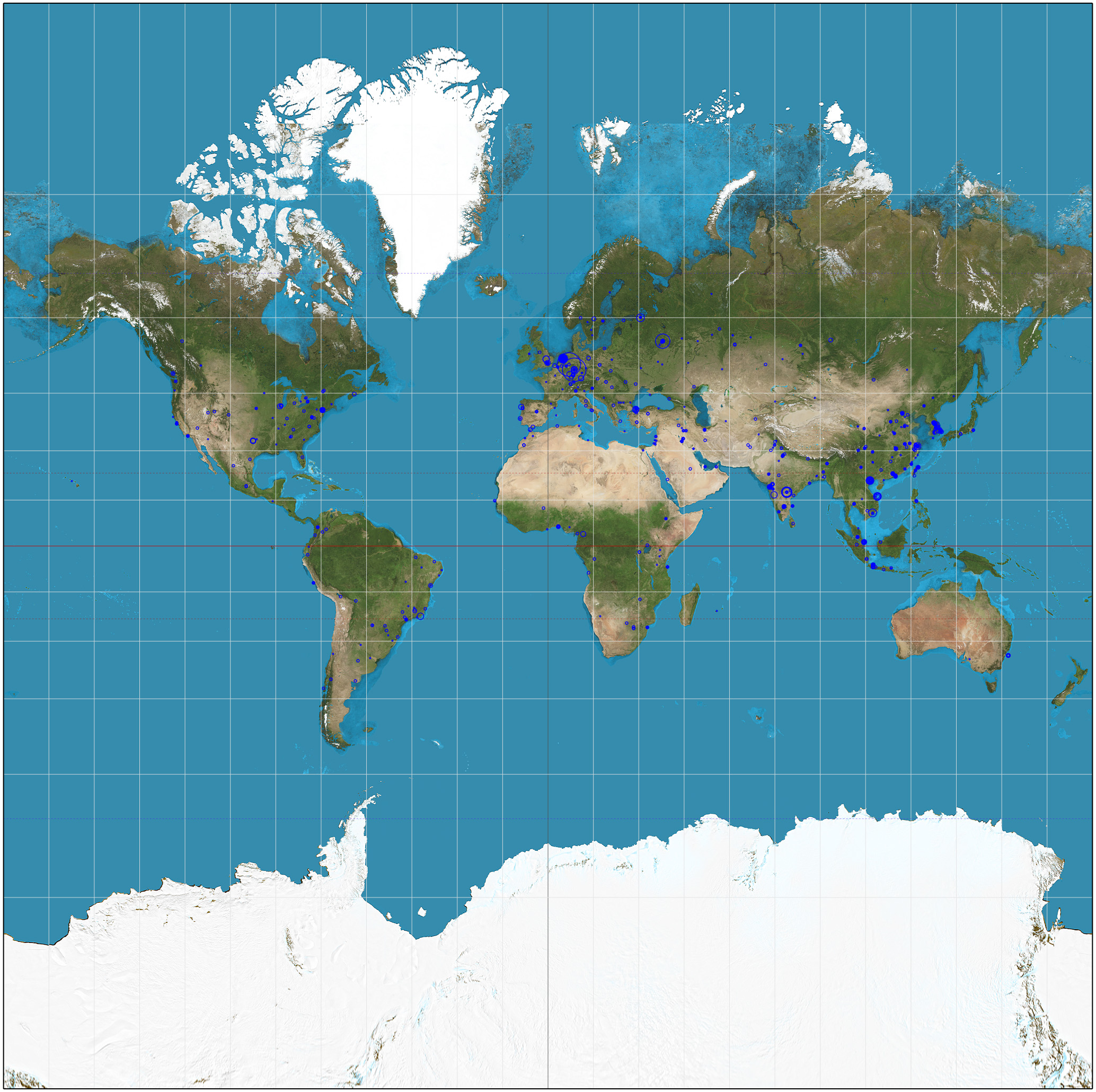
somewhat recovered and seen the massive log file size jump from 75MB to 35GB. Luckily, I was able to download the log file and remove it from the server before backup tasks triggered. Below, you can find all the connections shown
on a Mercator projected world map. Each circle is centered at an attacker’s IP address, with its radius given by the natural logarithm of the number of requests originating from that IP. Base image is taken from
Wikipeda.
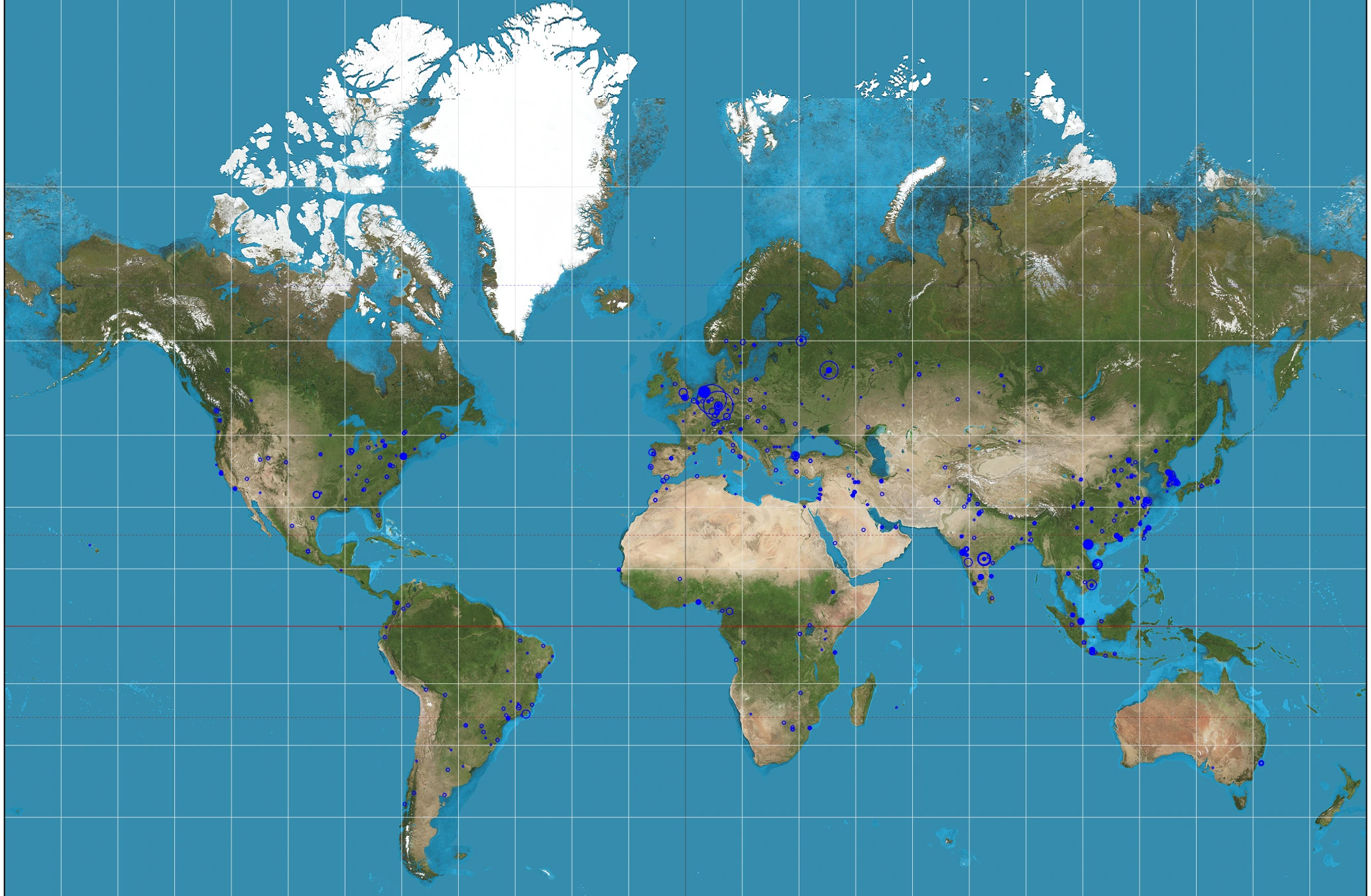

Here’s the full resolution file if you are curious.
The Final Failure
After the cyberattack, my old laptop was working as intended again. Until about three months later when I suddenly lost access to apps I was hosting. I thought it was a temporary internet cutoff or worse, a power outage. Given that I visited my family home a week prior just to turn the laptop on, I really did not want to repeat that again. So I messaged my sister, and surprisingly, she said everything was fine. Surprised, I asked her to send a picture of the laptop screen. When she sent the picture, everything was clear: there were I/O errors all over the place.
Instead of trying to replace the hardware and continuing to use the same laptop, I decided to let it rest and move everything to a VPS. I chose Contabo because of it is extremely cheap. For now, the only downside is that I lost 4 GBs of RAM and 300 GBs of storage. However it is bearable. I might update my VPS plan in the future.
This migration procedure reminded me that once again, NixOS was the right choice, the server was up really quickly. Even though there was a stupid error that I couldn’t solve because I was getting sleepy, I could just boot into an old NixOS build and sleep peacefully. Also, at this point I am aware that it is not technically a “home lab” anymore.
Future Plans
For now, I am really happy how things turned out. This journey made me learn and experience countless unique things and it is one of the things I am glad I did. In the future, I am planning to complete the honeypot code, maybe make and host fun websites and self-host some more apps, who knows.